What Does Google Search Console's New AI Performance Report Actually Show You?
Google's new Generative AI report in Search Console shows AI Overviews and AI Mode impressions — but not clicks, CTR or queries. Here's how to read it without fooling yourself.
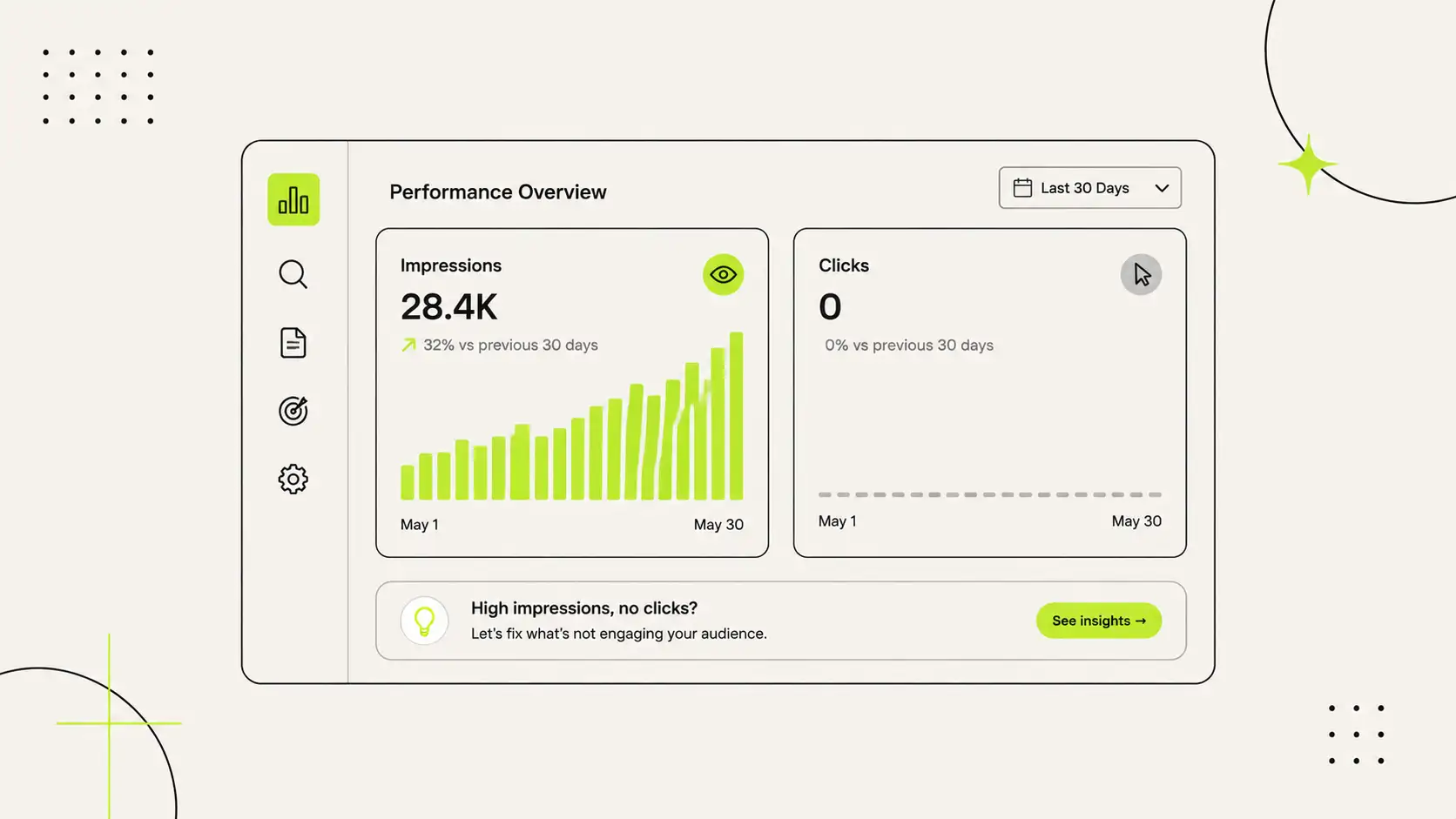
For years, Google Search Console gave you four numbers that mattered: clicks, impressions, average position, and the queries people used. Simple. Then AI answers arrived, and a chunk of your visibility disappeared into AI Overviews and AI Mode where those old numbers couldn't see it.
On 3 June 2026, Google fixed part of that. It launched a dedicated Generative AI performance report inside Search Console — a separate view of how often your pages show up inside Google's AI answers. It's genuinely useful. It's also widely misunderstood, and if you read it wrong, you'll celebrate numbers that don't pay your bills.
Here's exactly what it shows, what it hides, and how to use it without fooling yourself.
Quick Answer
The Generative AI performance report shows you one thing: how many impressions your pages get inside Google's AI features — AI Overviews, AI Mode, and generative AI features in Discover. You can break those impressions down by page, country, device, and date.
What it does not show, at least at launch: clicks, click-through rate, the queries people used, or your average position. So it tells you how often you appeared in AI answers — not whether anyone clicked, and not what they searched to get there.
Treat it as a visibility signal, not a traffic or revenue number.
Where to find it
Open Search Console, go to the Performance section, and look for the dedicated Generative AI tab sitting alongside your usual Search and Discover views.
Two things to know before you go looking:
- It's rolling out gradually. Not every site has it yet. Google began with a subset of properties (the UK first), expanding over time. If you don't see the tab, you're either not in the rollout or your site hasn't had enough AI impressions to show data.
- Your old numbers didn't change. This is a breakout, not a new pile of traffic. These AI impressions were always counted inside your overall Performance totals. Google simply split them into their own view so you can see them clearly.
What the report actually gives you
The report shows impressions inside Google's AI features, sliced four ways:
- By page — which of your URLs are being pulled into AI answers, and which aren't.
- By country — where those appearances are happening.
- By device — mobile versus desktop.
- Over time — from hourly trends up to monthly, so you can watch it move.
That's it. And within its limits, it's valuable. For the first time you can see, page by page, whether Google's AI is using your content — and which topics it trusts you enough to surface.
What it deliberately leaves out
This is the part most coverage skips, and it's the part that matters. Four commercially important metrics are missing:
- No clicks. You can't see how many people came to your site from an AI answer as a separate number.
- No click-through rate. So you can't judge whether an appearance actually earned a visit.
- No queries or prompts. You can't see the exact question that made you appear.
- No average position. There's no "rank" inside an AI answer to track.
One nuance worth understanding: clicks from links inside AI Overviews and AI Mode can still show up in your aggregate "Web" performance data. The dedicated AI view just doesn't isolate them as a separate click metric. So the traffic isn't invisible everywhere — it's simply not broken out here.
The mistake this report invites
Here's how people get burned. They open the report, see "10,000 AI impressions," and treat it like 10,000 visitors or 10,000 potential customers. It's neither.
An impression means your page appeared inside an AI feature. It does not mean a person read it, clicked it, trusted it, or bought anything. AI impressions are an upper-funnel visibility metric — the very top of the journey. Whether that visibility turns into sessions, leads, and revenue still has to be checked in your analytics and your actual business numbers.
So the honest way to read this report is: "Is Google's AI using my content, and on which pages?" — not "How much money is this making me?" Those are different questions, and only the first one this report can answer.
How to actually use it
Used properly, the report guides real decisions:
- Find your AI-visible pages. See which URLs earn the most AI impressions. Those are topics Google's AI already trusts you on — worth protecting and expanding.
- Spot the gaps. Pages you'd expect to appear but don't may have weak, unclear, or hard-to-extract content. That's a content problem to fix.
- Watch the trend, not the day. One day's number is noise. A steady rise or fall over weeks is signal.
- Cross-check with your analytics. Pair impression trends with actual sessions and enquiries to see whether AI visibility is translating into anything real for your business.
A note on the opt-out toggle
Alongside this report, Google added a control that lets you block your content from appearing in AI features. It's tempting for publishers worried about losing clicks to AI answers.
Be careful. Opting out forfeits your AI impressions and any traffic they bring, while — by Google's account — not improving your normal Search ranking. For most businesses trying to be seen, hiding from the fastest-growing part of search is the wrong instinct. There are narrow cases where it's worth considering, but it's a decision to make with eyes open, not a reflex.
Known vs observed vs hypothesis
Because this is new, be clear on how sure we are:
- Known: The report shows AI-feature impressions only, broken down by page, country, device, and date. No clicks, CTR, queries, or position at launch. It covers Google's AI only — not ChatGPT, Perplexity, or Claude.
- Observed: Across many sites, AI impressions are rising while clicks are under pressure, which is exactly why isolating this data matters.
- Hypothesis: Google has said it intends to add more metrics over time but hasn't given a date. Plan for today's report, not a promised future one.
Ritesh's Take
Appearing inside an AI answer is quickly becoming the new position one — and this report is how you find out whether you're getting there. That part is real, and I'd tell any business to check it.
But I'd also warn you against impression theatre. I've seen people screenshot a big AI-impression number and treat it as proof their marketing is working, while their enquiries sit flat. Impressions are the start of the story, not the end. The report tells you Google's AI is using your content. It's your job to check whether that visibility turns into visits, and whether those visits turn into customers. Visibility you can't connect to revenue is a vanity metric wearing a serious face.
This is the Google side of a bigger question — whether AI systems can see and trust your business at all. I covered the ChatGPT side of that in why your business doesn't appear in ChatGPT recommendations.
FAQ
Does the AI report add new traffic to my site? No. These impressions were always counted in your overall totals. Google just split them into a separate view. Your aggregate numbers don't change.
Why can't I see the report? Either your site isn't in the rollout yet, or it hasn't received enough impressions in AI features to show data. It's being released to sites in stages.
Does this track ChatGPT or Perplexity? No. It only covers Google's own AI features — AI Overviews, AI Mode, and generative AI in Discover. Other AI engines have their own, separate visibility that this report can't see.
Should I block my content from AI features? For most businesses, no. Opting out loses AI impressions and traffic without improving normal rankings. Only consider it in specific situations, and understand the trade-off first.
Can I see which query triggered an AI impression? Not currently. Query and prompt data aren't part of the report at launch.
The one thing to do next
Open the Generative AI tab if you have it, and note your top three AI-visible pages. Those are the topics Google's AI already trusts you on. Then check your analytics to see whether those pages are actually bringing visits and enquiries. That single comparison — visibility versus real outcomes — is the honest way to read this report.
Want to know where your business actually stands across Google's AI answers and beyond — measured properly and tied to real outcomes, not just impression counts? Get an AI visibility audit and I'll show you which pages AI trusts, which don't, and what's worth fixing first.